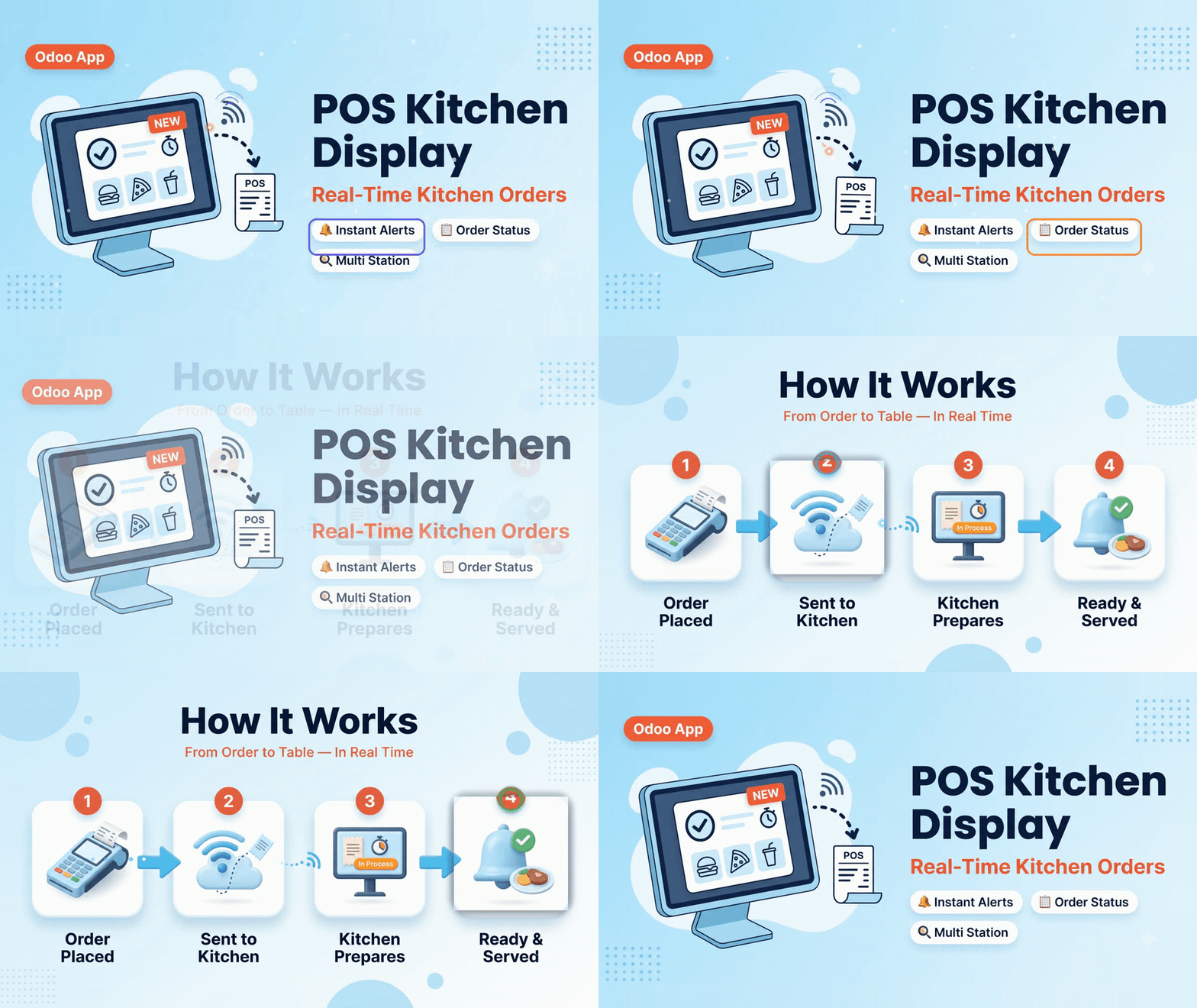

POS Kitchen Display

Point Of Sale

POS Kitchen Display

POS Kitchen Display is an Odoo app for point of sale workflows, integrated with Point of Sale, Restaurant POS. Search also with similar names such as the related app titles below. Kitchen Display System Restaurant Kitchen Screen POS KDS Management Kitchen Order Display Kitchen Ticket Screen Restaurant KDS Software POS Kitchen Monitor Food Order Kitchen Display Kitchen Queue Management Point of Sale Kitchen Display

€71 €63.90 -10%

POS Kitchen Display
Preciseways Preciseways POS Kitchen Display System (KDS)
Community & Enterprise Browse Apps
POS KITCHEN DISPLAY ENGINE

Real-Time Kitchen Screen & POS Order Workflow

Connect front-of-house POS registers directly to kitchen monitors in real time. Zero paper tickets, zero order delays, automatic station filtering, custom cooking notes, elapsed preparation timers, and one-tap order status sync between POS and kitchen.

Instant Order Push Kitchen Station Filtering Real-Time Status Alerts
Contact Developer Support
LIVE ANIMATED DEMO
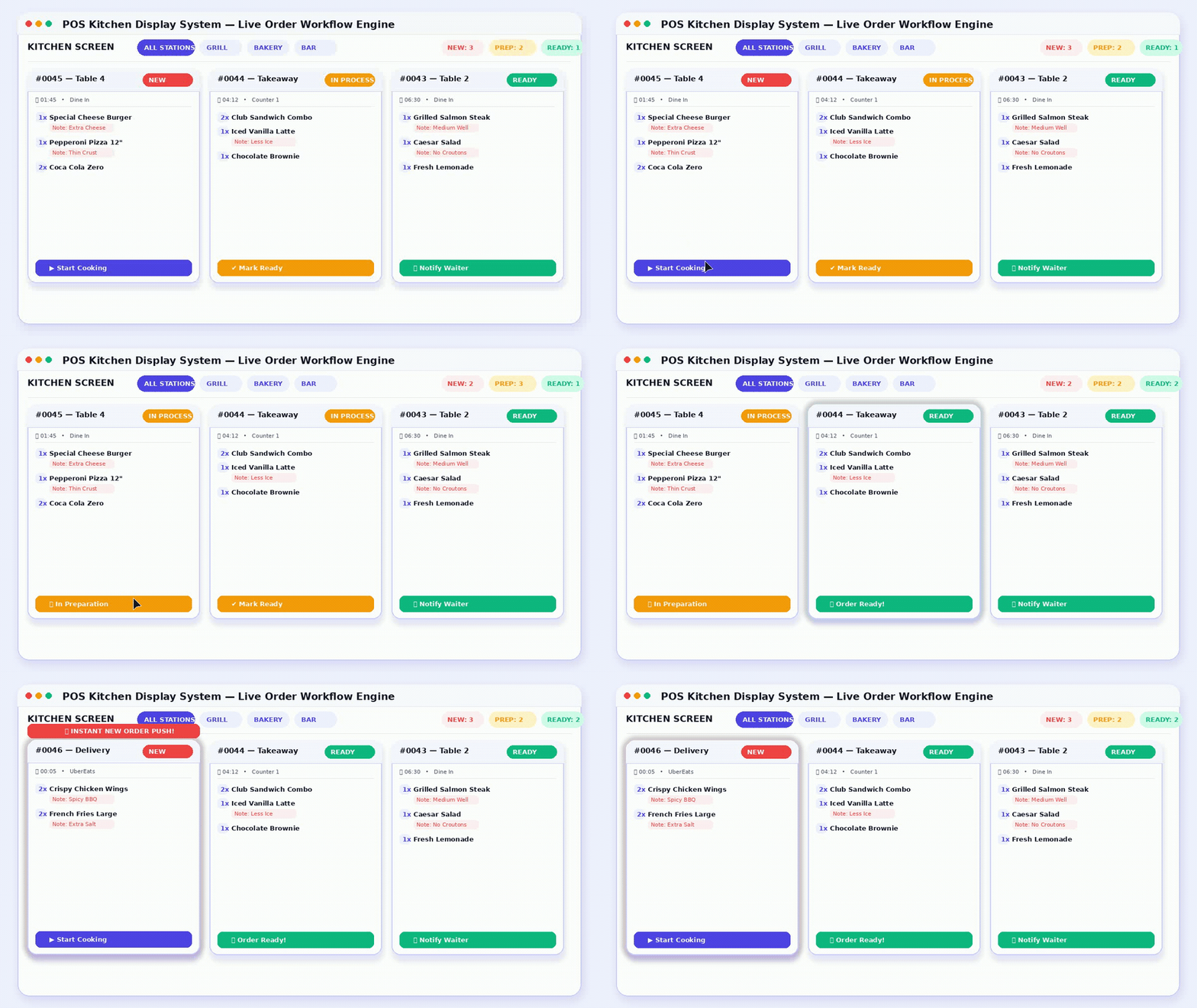
POS Kitchen Display Live Order Flow
CORE CAPABILITIES

Engineered for High-Speed Kitchen Operations

Designed for Fine Dining, Fast Food, Cafes, Bars, Bakery Stations, and Multi-Kitchen Operations.

Instant Order Push

Orders placed on POS instantly pop up on kitchen monitors without manual printing or paper ticket delays.

Smart Preparation Timers

Live order timers track elapsed cooking time so kitchen staff prioritize urgent tickets effectively.

Category & Station Filter

Route food items automatically to relevant stations (Hot Kitchen, Beverage Bar, Dessert Section).

One-Tap Status Sync

Mark orders as In Progress, Ready, or Served with single touch. POS is updated instantly.

WHY POS KITCHEN DISPLAY

Eliminate Kitchen Chaos & Paper Ticket Waste

Compare traditional manual paper workflows against a digital real-time Odoo kitchen screen.

TRADITIONAL PAPER WORKFLOW

Manual Paper Tickets & Delays

  • Orders rely on printed paper slips that easily get lost, dirty, or burned.
  • Waiters have no visual indication when food preparation is completed.
  • Kitchen chefs struggle to track preparation time for pending orders.
  • Special customer cooking notes are misread or overlooked during rush hours.
POS KITCHEN DISPLAY SYSTEM

Instant Digital Workflow

  • Orders stream live to digital touch monitors the exact second they are entered.
  • Automatic notifications alert POS staff immediately when orders are marked Ready.
  • Live preparation clocks highlight pending orders to prevent customer wait delays.
  • Custom food options & allergy notes are prominently highlighted on tickets.
SYSTEM SCREENSHOTS & WORKFLOW

Module Interface & Key Features

Explore how POS Kitchen Display simplifies order dispatch, kitchen tracking, and counter communication.

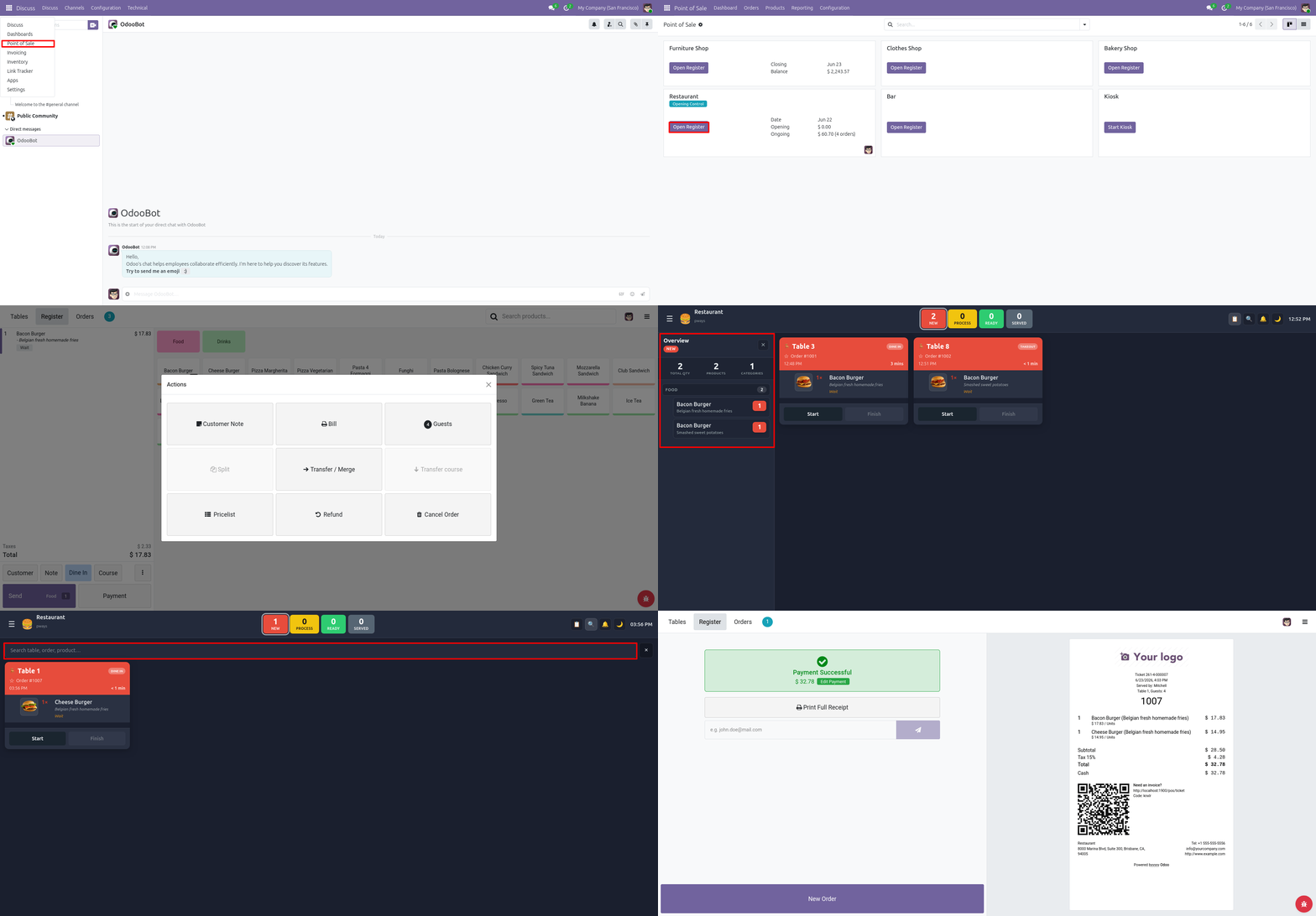
SCREENSHOT 01 LIVE KITCHEN DISPLAY MONITOR

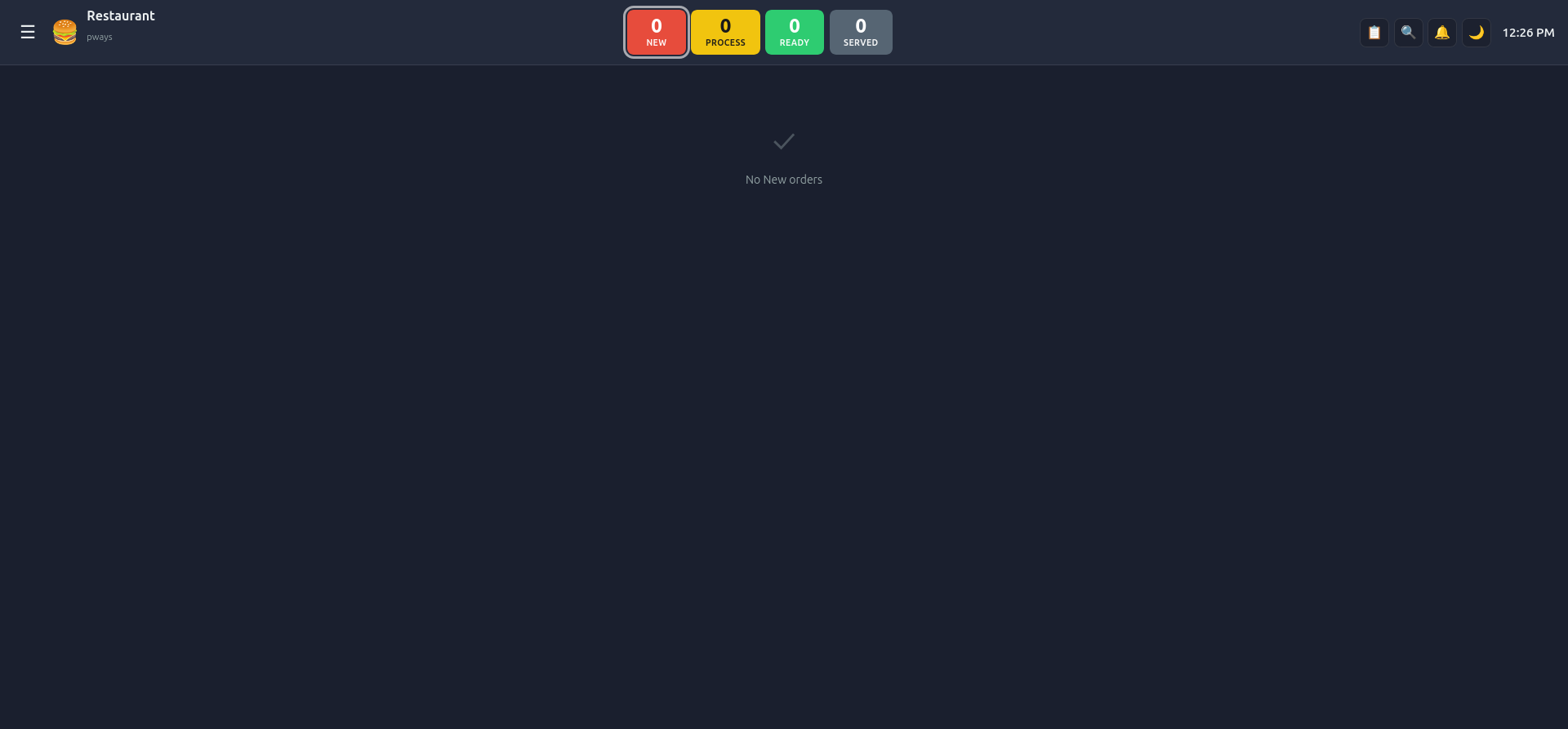
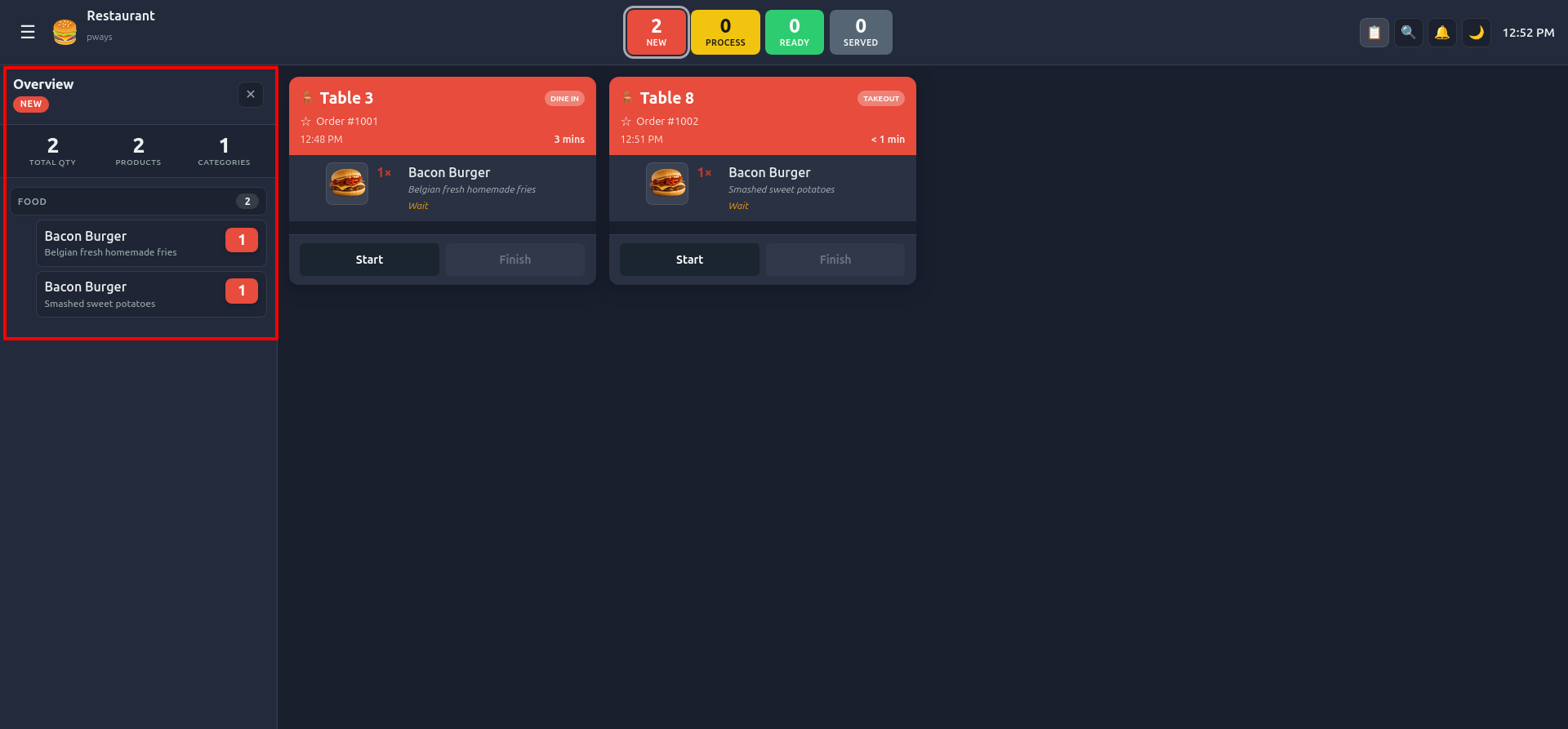
Real-Time Kitchen Order Queue Display

Clear, high-visibility digital display engineered for kitchen monitors. Incoming POS orders instantly render with table numbers, order sequence, item quantities, and real-time preparation timers.

Instant Websocket Order Push
Live Cooking Timer Clock
Clear Table & Order Ref Numbers
Color-Coded Order Priority Cards
KITCHEN DISPLAY SCREEN
POS Kitchen Display Live Order Queue
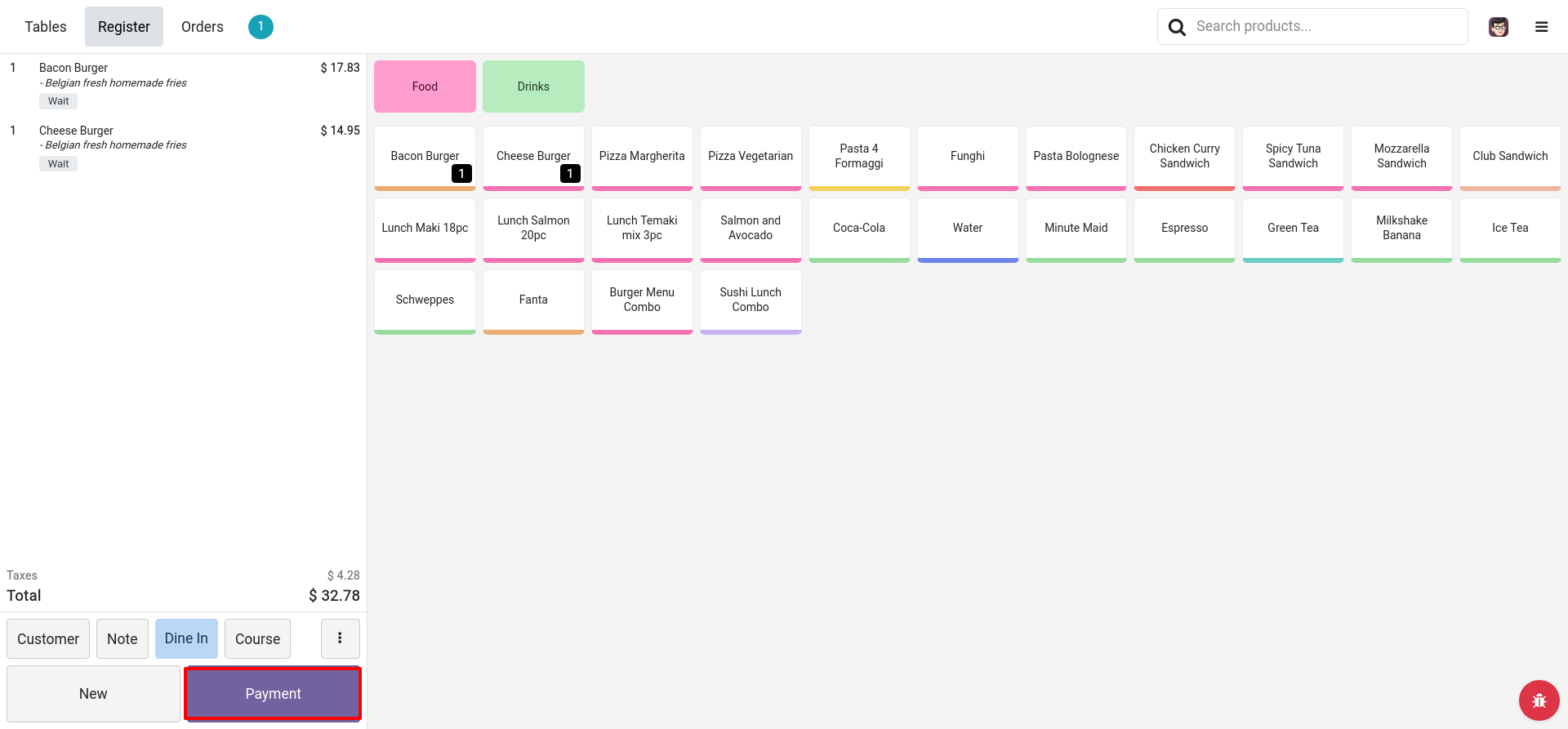
SCREENSHOT 02 POS COUNTER STATUS SYNC

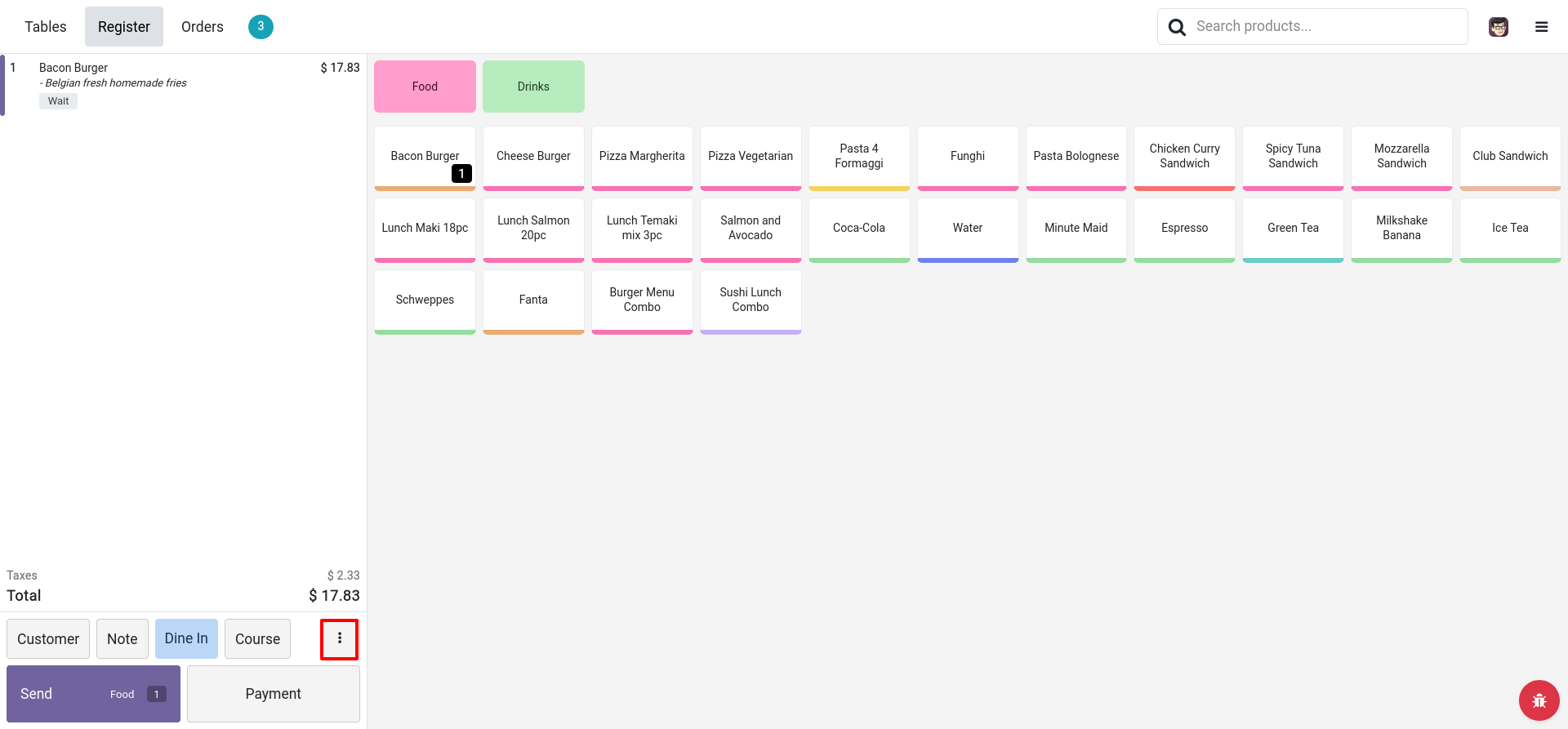
POS Screen Order Confirmation & Live Status Badges

Front-of-house POS operators view order status directly on order lines. When kitchen staff update progress, status indicators on the POS counter sync in real time.

Live Order Line Status Badges
One-Click Kitchen Order Dispatch
Ready for Service Indicator
Instant Counter Alert Sync
POS COUNTER INTEGRATION
POS Counter Status Sync
SCREENSHOT 03 CUSTOM COOKING NOTES & MODIFIERS

Item Cooking Notes & Customer Special Instructions

Special cooking instructions entered on POS (such as extra spicy, no onions, medium rare, or gluten-free) are clearly displayed on the kitchen card to eliminate preparation errors.

Highlighted Item Cooking Notes
Food Allergy & Diet Special Alerts
Product Variant & Modifier Support
Zero Kitchen Misunderstanding
COOKING NOTES & MODIFIERS VIEW
POS Kitchen Cooking Notes View
SCREENSHOT 04 ONE-TAP KITCHEN CONTROLS

Touchscreen Order Status Actions & Ready Alerts

Kitchen staff can easily transition orders from To Do ➔ In Process ➔ Ready ➔ Done with large touch-friendly buttons, triggering real-time alerts on POS screens.

Large Touch-Screen Action Buttons
Single-Tap Order Status Progress
Automatic Waiter / POS Pickup Alert
Completed Ticket Archiving
TOUCHSCREEN ACTION CONTROLS
POS Kitchen Order Status Action Buttons
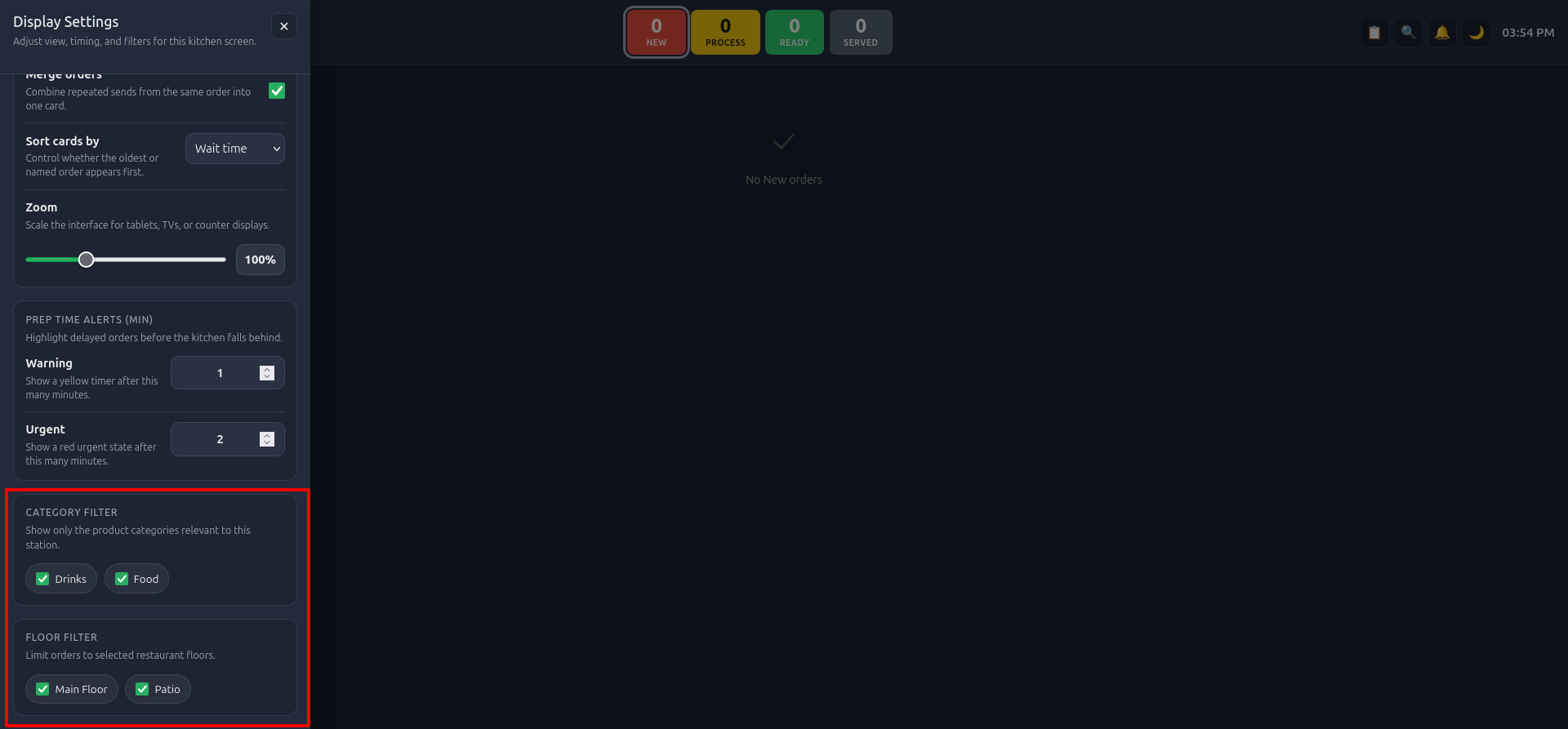
SCREENSHOT 05 POS KITCHEN CONFIGURATION

Flexible Kitchen Screen & Category Routing Setup

Configure multiple kitchen screens, assign specific product categories per station, adjust refresh intervals, sound notification alerts, and manage kitchen display settings effortlessly in Odoo POS backend.

Multi-Screen Kitchen Station Setup
POS Product Category Routing Filters
Customizable Auto-Refresh & Audio Alert
Easy POS Register Integration
POS BACKEND CONFIGURATION
POS Kitchen Screen Configuration
LIVE FEATURE DEMO & WALKTHROUGH

Watch POS Kitchen Display in Action

See how order placement at the POS counter instantly updates the kitchen display monitor with preparation status sync and ready notifications.

AUTO-LOOPING DEMO
POS Kitchen Display Live Screen Walkthrough

Need Custom Odoo Development or Support?

Our expert Odoo team at Preciseways provides end-to-end customization, integration, and technical support.

Custom Odoo Apps

Tailor-made modules designed to fit your unique business workflow.

eCommerce Themes

Stunning modern website designs engineered for high conversion rates.

System Migration

Seamless Odoo version upgrades and data migration with zero downtime.

API & Integrations

Connect Odoo with payment gateways, shipping carriers, CRM & ERPs.

Custom PDF Reports

Tailor-made financial, sales, inventory & invoice report layouts.

24/7 Priority Support

Fast technical assistance and module maintenance whenever you need it.

Have Questions or Feature Requests?

Contact our senior Odoo development team directly for instant support.

Email Us: preciseways@gmail.com

Request a demo

Contact us for this application

Tell us about your needs for POS Kitchen Display. Your request creates a CRM opportunity tagged with this app.

€71 €63.90 -10%